A white-label rewards site on your own domain.
Your white-label rewards site lives on your own domain, with your name, logos and colours. You add one DNS record, HTTPS is issued automatically, and members never see the RewardsLabel name. The domain stays registered to you, whatever happens to your licence.
- Domain
- A subdomain or your root domain
- HTTPS
- Issued and renewed for you
- Branding
- Logo set, colours, light and dark
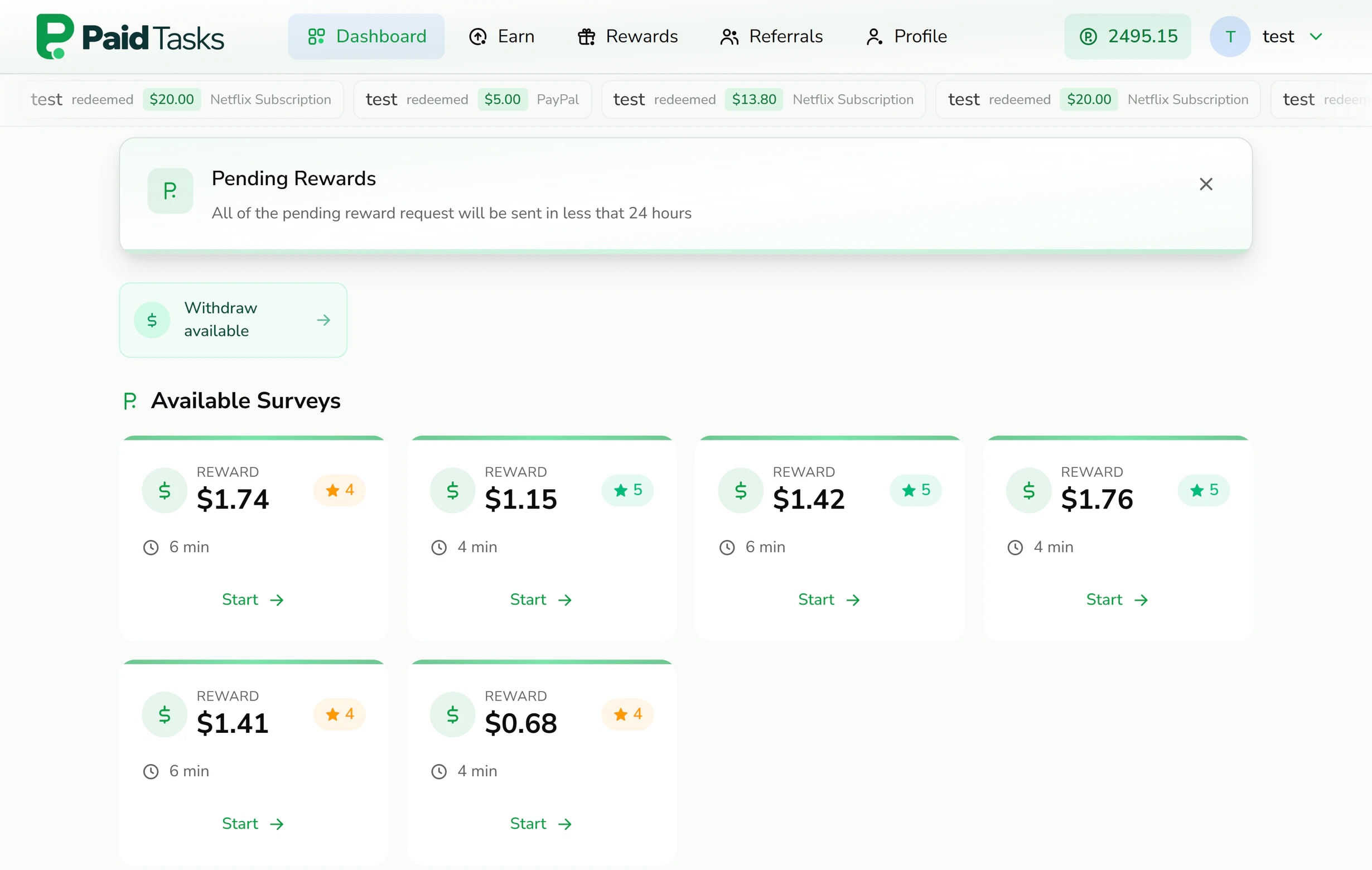
Connecting a custom domain takes one record.
Putting your white-label rewards site on your own domain takes one DNS record. Which one depends on whether members visit a subdomain or your root domain, and the setup flow shows the exact values.
A subdomain, such as rewards.yourbrand.com
Add a CNAME record for the subdomain pointing to connect.rewardslabel.com. If your DNS provider offers a proxy, set the record to DNS only. It is the simplest option and leaves your main website untouched.
A root domain, such as yourbrand.com
A root domain cannot hold a CNAME, so you add an A record pointing to the platform IP shown in setup, and remove any other A or AAAA records on it, such as a registrar’s parking page. A CNAME for www is optional and sends visitors to the root domain.
Country domains like yourbrand.co.uk
Registrations under suffixes such as .co.uk or .com.au are recognised as root domains, so the setup flow shows the right records.
Connect when the record is in place
Select Connect domain in the setup flow. If the record has not reached public DNS yet, the flow tells you what it found, such as an old A record. Connect again once it has updated.
HTTPS is handled for you.
Members sign in and enter payment details on your site, so it has to be served over HTTPS from the first visit.
When you connect the domain, the platform checks through public DNS resolvers that the domain points to it, then requests a certificate from Let’s Encrypt and switches your site to HTTPS. Certificates are renewed before they expire, and you never upload or renew one yourself.
If the record does not point to the platform yet, the connection stops before any certificate is requested. Fix the record at your DNS provider and connect again once it has updated.
Your brand on every page members see.
Branding is set once and applies across the member site, the mobile menu and the browser tab.



A logo set
Upload a main logo, a compact logo and a favicon in SVG or PNG, up to 2 MB each, plus a separate logo for dark mode if your main logo needs one.
Your colours
Start from a preset theme in red, blue or emerald, or set your own primary, secondary and accent colours for light mode and for dark mode.
Light and dark mode
Choose whether the site follows each member’s system setting or always shows light or dark mode.
Your own email
Set your own SMTP server in the console settings, so account emails to members are sent through your mail server.
What white label means on RewardsLabel.
A white-label rewards platform is only as convincing as the details members notice. These are the specifics.
- No platform branding
- The member site carries no RewardsLabel name, logo or footer link. Members see your brand from sign-up to cash-out.
- Your domain everywhere
- Sign-in, the earn page, rewards and referral links all sit on your domain, so links members share promote your brand.
- Your own database
- Each site runs on its own database, created when the site is set up, so your members and balances are never mixed with another operator’s.
- Your policies
- The member site includes Terms of Service and Privacy Policy pages. Review them so they describe your business, because you are the one operating the site.
The domain stays yours.
A rewards site on your own domain only stays yours if the domain does. You register it with your own provider, and RewardsLabel never takes ownership of it.
If you cancel, your licence stops renewing and the site stays live until the end of the period you paid for. The domain, your offerwall accounts and your payment accounts are registered to you, so they stay with you and you can point the domain anywhere you like.
One licence covers one branded rewards site with one custom domain. A second brand runs on its own licence. See pricing for the current plan, or open the live demo to see a branded site from both sides.
Questions about domains and branding.
DNS, certificates and what members see.
- Can I use a subdomain instead of my main domain?
- Yes. A subdomain such as rewards.yourbrand.com needs one CNAME record pointing to connect.rewardslabel.com and leaves your main website where it is. It keeps your marketing site and your rewards site separate, and the setup flow shows the exact record for the subdomain you enter.
- Do I need to buy an SSL certificate?
- No. Once your domain points to the platform, a certificate is requested from Let’s Encrypt and installed for you, and it is renewed before it expires. You only buy the domain itself, from any registrar you like. There is no extra charge for the certificate.
- How long does it take to connect a domain?
- It depends on your DNS provider. Once the record resolves publicly, select Connect domain in the setup flow, and the DNS check and certificate run in one step. If the record has not spread yet, the flow tells you, and you can try again after it updates.
- Will members see RewardsLabel anywhere?
- No. The member site shows your name, logos, colours and domain, and referral links use your domain too. There is no RewardsLabel name, logo or link on the pages your members use. Account emails are sent through your own SMTP server once you set one.
- Can I change my colours later?
- Yes. The theme preset, your custom colours and the colour mode are in your console settings, and they apply across the member site when you save. You can switch between a preset and your own colours at any time. Members who use dark mode see your dark palette and your dark logo.
- What happens to my domain if I cancel?
- Nothing changes about who owns it. The domain is registered to you with your own provider, so after your paid period ends you can point it to another server. Your offerwall and payment accounts are yours as well. Plan any move before your paid period ends, so members are not left without a site.
Keep reading
- Referral commissionsReferral codes and links on your domain, with commission on referred members’ offer earnings set per member.
- Offerwall integrationAdd offerwall partners in the console, set a bonus, record each share, and credit members through one postback address.
- Community rewards sitesA branded rewards site for creators, publishers and Discord or gaming communities, with referrals and chat built in.
- Get-paid-to (GPT) sitesHosted get-paid-to site software with offerwalls, surveys, payouts and referrals on your own domain.
- Live demoSign in to the member site and the admin panel of a rewards site running on RewardsLabel.
- Pricing$149 a month or $1,490 a year, plus a $25 activation fee. No revenue share.
Put your own name on a rewards site.
Have a site name, a domain and your logo files ready. The setup flow shows the DNS record for the domain you choose.