A rewards website builder for task sites, with nothing to code.
RewardsLabel is a rewards website builder for task sites. Members complete tasks from your partners, such as installing an app, signing up for a service, reaching a level in a game or answering a survey, and earn points they redeem for the rewards you choose. You build the site in a short setup flow and run it from a console.
- Tasks supplied by
- Your offerwall and survey partners
- Setup needs
- Site name, domain, logo files
- Code to write
- None
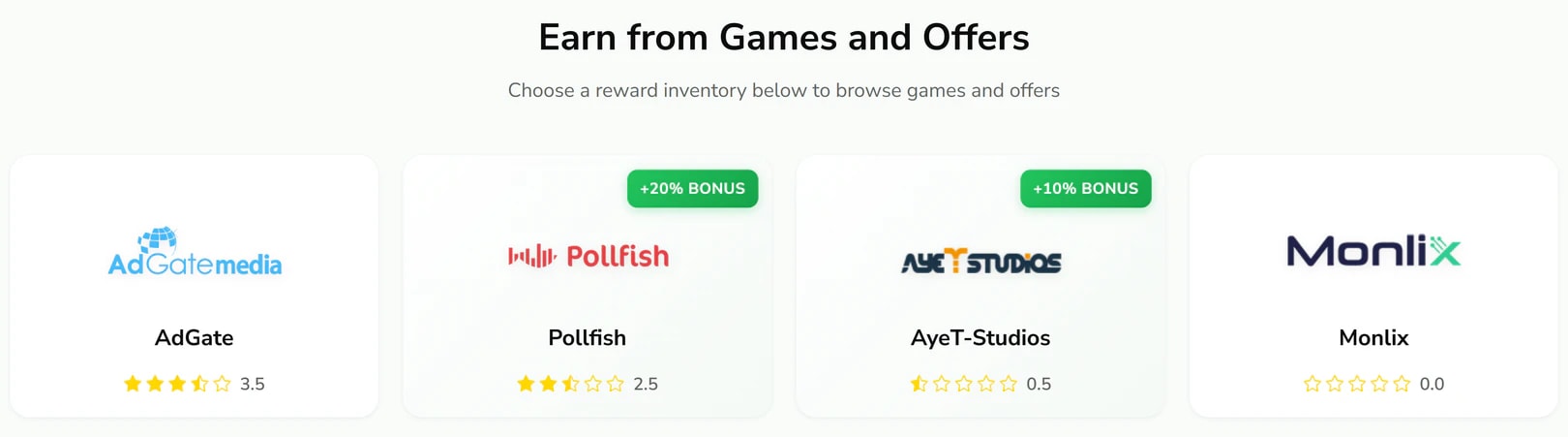
What a task looks like on your site.
On a task rewards site, a task is one action a member completes for an advertiser. Your partners supply the tasks and confirm when each one is done.
App installs
Install an app and open it, sometimes with a step inside the app such as creating an account.
Game milestones
Reach a level or play for a set time in a mobile game. These take longer than an install and are tracked by the partner.
Sign-ups and trials
Register for a service or start a free trial with an advertiser.
Surveys
Answer a market research survey. On your site these appear in their own list, with the reward and length shown up front.
Build the site in four steps.
The rewards website builder is a short setup flow, followed by work in the console that you can do at your own pace.
- 01
Name it
Choose the name members will see and the domain they will visit, such as tasks.yourbrand.com.
- 02
Brand it
Upload a main logo, a compact logo and a favicon. Theme presets and custom colours for light and dark mode are set later in the console.
- 03
Connect your domain
Create the CNAME or A record the setup flow shows for your domain. The HTTPS certificate follows once the record resolves.
- 04
Fill it
Add your partners, record the member share you set in each partner’s dashboard, and list the rewards members can redeem.
The domain and branding options are covered on the custom domain and branding page.
What keeps members completing tasks.
A task site works when members come back. These parts of the member site are built for that, and you control each one.
A visible balance
Points appear in the member’s balance as soon as a partner confirms a task, and the history page lists every credit.
Levels
A member’s level climbs with every point earned over the life of the account. It shows on their profile and beside their name in chat.
Bonuses on chosen partners
Give a partner a bonus percentage and members see a badge on its card.
Rewards worth redeeming
List the rewards your members want, from PayPal cash to crypto, gift cards and subscriptions, at the amounts you choose.
Referral links
Members invite friends with a link on your domain and earn a commission on what those friends earn from offers.
What a task site costs to run.
Building the site is the smallest part of the cost. Running it is where the money goes.
- RewardsLabel licence
- $149 a month or $1,490 a year, plus a $25 one-time activation fee. No revenue share.
- Domain
- Bought and renewed by you, from any registrar.
- Member rewards
- Your largest cost. Every reward a member redeems is paid from your own account.
- Payout fees
- Charged by the payment provider you use, such as PayPal or a gift card supplier.
- Traffic
- Whatever you spend to find members. RewardsLabel does not supply traffic.
Partners pay you for each confirmed task, so the business works when what they pay is more than what you pass on to members plus what you pay in fees. The guide on how GPT sites make money sets out the full calculation.
A builder, a script or a custom build.
There are three common ways to get a task rewards site online: a rewards website builder, a script or a custom build. They differ in how much you build and how much you maintain.
Upfront work
- Hosted builder (RewardsLabel)
- Setup flow and console configuration
- GPT site script
- Installing it on a server you rent
- Custom build
- Design and development from scratch
Ongoing maintenance
- Hosted builder (RewardsLabel)
- Done for you
- GPT site script
- You apply updates and patches
- Custom build
- Your developers
Changing the code
- Hosted builder (RewardsLabel)
- Not possible
- GPT site script
- Possible
- Custom build
- Anything you can build
Payment model
- Hosted builder (RewardsLabel)
- Monthly or yearly licence
- GPT site script
- Usually one-time, support often extra
- Custom build
- Development cost plus hosting
| Hosted builder (RewardsLabel) | GPT site script | Custom build | |
|---|---|---|---|
| Upfront work | Setup flow and console configuration | Installing it on a server you rent | Design and development from scratch |
| Ongoing maintenance | Done for you | You apply updates and patches | Your developers |
| Changing the code | Not possible | Possible | Anything you can build |
| Payment model | Monthly or yearly licence | Usually one-time, support often extra | Development cost plus hosting |
A custom build makes sense when your product is different enough that no existing platform fits. If you need a standard task site under your own brand, a rewards website builder gets you there with the least to maintain. The trade between scripts and hosted platforms is set out in GPT site script vs hosted platform.
Questions about building a task rewards site.
Where tasks come from, what you configure and how members get paid.
- What is a task rewards site?
- A task rewards site pays members in points for completing small tasks such as app installs, sign-ups, game levels and surveys. Advertisers pay offerwall partners, partners pay the site, and the site credits its members. Members then redeem their points for cash, crypto or gift cards.
- Can I create my own tasks?
- No. Tasks on RewardsLabel come from offerwall and survey partners, which also confirm completion. You can add points to a member by hand from the console, for example as a goodwill credit, but there is no tool for publishing your own task list.
- Do I need to know how to code?
- No. RewardsLabel is a rewards website builder: you set the site up in the setup flow and configure it in the console. Hosting, updates and HTTPS certificates are handled by the platform, and your domain connects with one DNS record you add at your provider.
- Can the site match my brand?
- Yes. You upload a main logo, a compact logo and a favicon, choose a theme preset or your own colours for light and dark mode, and connect your own domain. Members see your brand on every page, with no RewardsLabel branding.
- How do members get paid?
- Members spend points on the rewards you list, and the points leave their balance at once. The request waits in your queue until you act: complete it after you send the reward from your own accounts, refund it to return the points, or reject it, which closes the request without returning them. RewardsLabel never holds funds. See payouts.
- Can I see a task site before I build mine?
- Yes. The demo page has shared logins for paidtasks.io, a site running on the platform, including its admin panel. You can explore both the member side and the console before you start your own setup. The demo uses shared accounts, so please leave their details unchanged.
Keep reading
- Custom domain and brandingYour domain, automatic HTTPS, your logo set and your colours, with no platform branding on the member site.
- Offerwall sitesOfferwall website software that runs many partners side by side, each with its own share, bonus and status.
- Payouts and redemptionsList the rewards members can redeem and approve, reject or refund every request from one queue.
- Referral commissionsReferral codes and links on your domain, with commission on referred members’ offer earnings set per member.
- How to start a GPT siteThe operator’s order of work for a get-paid-to site: audience, software, legal pages, partners, points, payouts and fraud.
- GPT script vs hosted platformA GPT site script, an existing site, a custom build or a hosted platform: costs, upkeep and control compared.
Build your task rewards site under your own name.
Bring a site name, a domain and your logo files. Partners, rewards and colours come next, in the console.